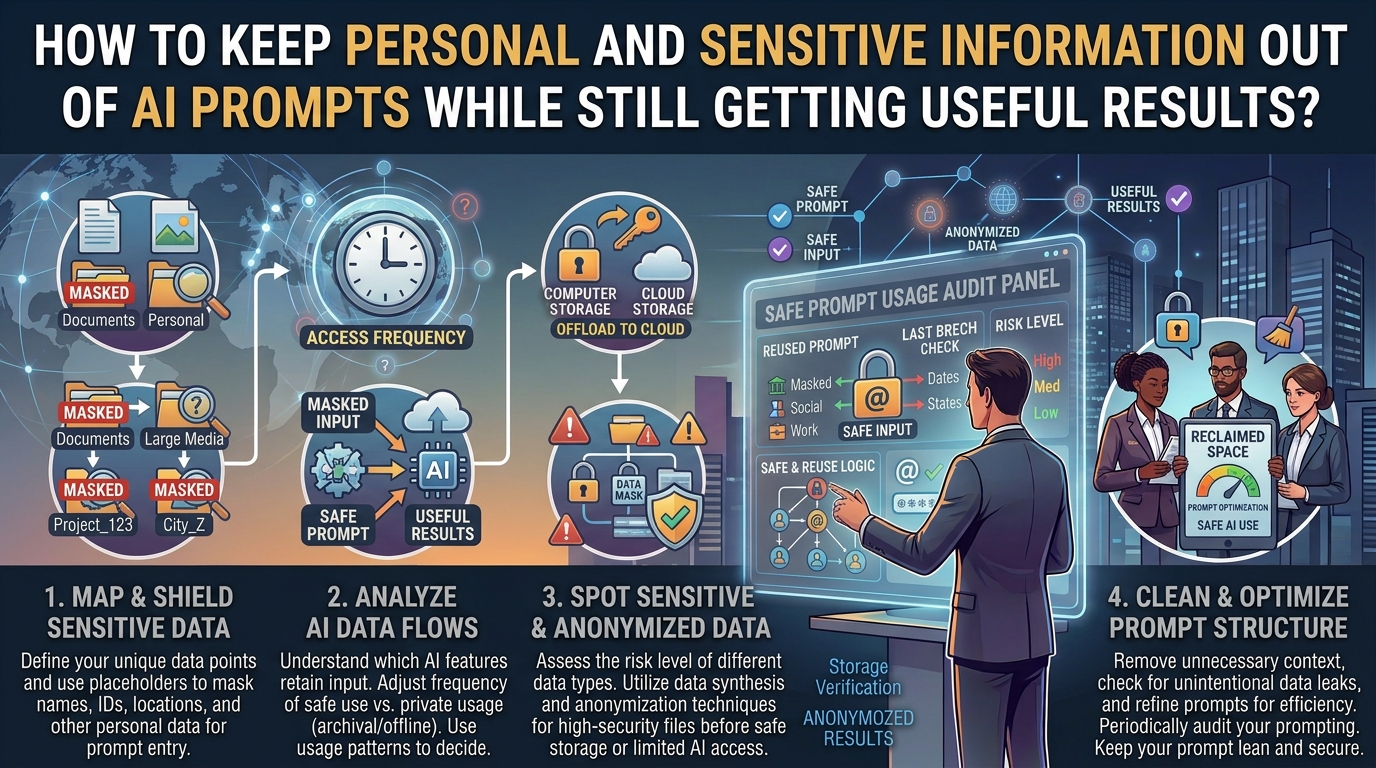
AI assistants can be surprisingly useful for everyday tasks. You can ask one to rewrite an email, explain a confusing error message, summarize a document, organize a project, compare options, or help you troubleshoot a technical problem.
The problem starts when the information you provide is more personal than the task actually requires.
A person asking for help with a rental agreement might paste their full name, home address, phone number, account number, and other details even though the AI only needs the relevant paragraph. Someone troubleshooting a banking app might include a screenshot showing their email address and transaction information. Another person may paste an entire work document when only three sentences need to be rewritten.
In many cases, there is a better approach: give the AI the information it needs to understand the problem, but remove information it does not need to complete the task.
This is often called data minimization. It does not mean making your prompts so vague that the AI cannot help. The goal is to remove unnecessary identifying or sensitive details while preserving the facts that actually affect the answer.
Cybersecurity guidance from the U.S. Cybersecurity and Infrastructure Security Agency recommends avoiding sensitive or confidential information in AI systems. NIST has also identified data privacy as an important risk area for generative AI systems.
Here is how to make that practical.
Start by Asking What the AI Actually Needs
Before pasting anything into an AI assistant, stop for a few seconds and identify the actual task.
Suppose you want help writing an email to a company because a delivery arrived damaged.
The AI does not normally need your full name, home address, order number, phone number, payment information, or the seller’s internal reference number.
It may only need something like:
“I ordered a kitchen appliance online. It arrived with visible damage, and I want to request a replacement. Please make my message polite but firm.”
That is enough to produce a useful draft.
The same principle applies to technical problems.
Instead of writing:
“My name is John Smith, my email is johnsmith@example.com, and my phone number is 555-1234. My account ID is 839201. I can’t log into my account…”
you could write:
“I can’t log into an online account. I know the password is correct, but the service keeps rejecting the login. What troubleshooting steps should I try?”
The second prompt contains the important problem without exposing unnecessary personal information.
A useful rule is simple: if removing a piece of information does not change the answer you need, consider removing it.
Separate Useful Context From Identifying Information
Personal information and useful context are not always the same thing.
AI often needs context to give a good answer. But context does not necessarily have to identify you.
For example, if you are asking for help choosing a laptop, the AI might need to know that you use Windows, edit photos, have a limited budget, and travel frequently.
It does not need your home address.
If you want help planning a weekly schedule, the AI may need to know that you work from 9 a.m. to 5 p.m. and have two evenings available.
It does not need your employer’s full name.
If you are troubleshooting a phone, the model may need the phone model and operating system version.
It usually does not need your phone number, IMEI, account password, or personal email address.
This distinction is important because removing all context can make AI responses worse. Removing the wrong information can make them worse while providing little privacy benefit.
The better goal is selective redaction.
Replace Names With Simple Labels
Names are often unnecessary in prompts.
If you are asking an AI to analyze a conversation, you can replace names with labels such as:
- Person A
- Person B
- Customer
- Manager
- Employee
- Client
For example, instead of pasting:
“Sarah told Michael that she could not attend the meeting…”
you could use:
“Employee A told Employee B that she could not attend the meeting…”
If the names do not affect the task, there is little reason to provide them.
This works especially well when asking AI to summarize conversations, improve writing, identify communication problems, or organize notes.
Remove Contact Details
Phone numbers, email addresses, home addresses, postal addresses, and social-media usernames are frequently copied into AI prompts without being necessary.
If the AI is rewriting a message, replace them with placeholders.
For example:
“Please rewrite this customer-service email. Replace [CUSTOMER NAME] and [ORDER NUMBER] with appropriate placeholders.”
You can then paste:
“Hello [CUSTOMER NAME], I’m contacting you about order [ORDER NUMBER]…”
This has another advantage: the final draft can be reused as a template without accidentally retaining someone’s personal details.
Do Not Paste Passwords, Authentication Codes, or Secret Keys
Some information should not be included in an ordinary AI prompt at all.
That includes passwords, one-time verification codes, recovery codes, private encryption keys, API keys, access tokens, and similar secrets.
If you need help with a login problem, describe the problem without providing the credential itself.
For example:
“My password reset email is not arriving. What should I check?”
is appropriate.
Pasting the actual password or recovery code is not necessary.
The same principle applies to software development. If an error message contains an API key or access token, remove the secret before asking for debugging help.
You can replace it with:
[API_KEY_REMOVED]
The AI can usually still explain the programming problem.
Be Careful With Screenshots
A screenshot can reveal much more information than you realize.
A screenshot of a banking application might show your name, account number, transaction history, balance, email address, location, or other identifying information.
A screenshot of an email might expose the sender’s address and previous messages.
A screenshot of a phone settings page might reveal your email account, device identifier, Wi-Fi network, or notifications.
Before uploading an image to an AI service, inspect the entire image rather than focusing only on the part you want the AI to analyze.
If possible, crop the image to the relevant area.
For example, if you want help understanding an error message, the AI probably needs the error message and surrounding application interface—not your entire desktop.
Cropping is often better than relying on the AI to ignore information you did not intend to share.
Replace Specific Details With Useful Categories
Sometimes an AI needs to know something about a person or situation, but the exact detail is unnecessary.
Instead of:
“I am a 43-year-old person living at 18 Green Street in Lahore…”
you might say:
“I’m an adult living in a large city.”
Or, if location matters:
“I’m in Pakistan.”
The same technique works for dates, amounts, workplaces, and other details.
Instead of giving an exact salary, you might say:
“My monthly income is in the middle-income range.”
Instead of giving someone’s exact age:
“The person is an adult.”
Instead of identifying your employer:
“I work for a small company.”
Use the least specific description that still allows the AI to answer the question properly.
Keep the Facts That Actually Change the Answer
Privacy protection should not turn every prompt into a vague sentence.
Some details genuinely matter.
For example, if you ask:
“Why is my computer slow?”
the AI may need to know the operating system, approximate age of the computer, available storage, amount of RAM, and what applications are running.
Those details can materially change the troubleshooting steps.
You can provide:
“I’m using a Windows 11 laptop with 8 GB of RAM and about 10 GB of free storage. It became noticeably slower after I installed several applications.”
You do not need to provide the computer’s serial number.
The key question is:
Does this detail change the advice, or does it merely identify me?
If it only identifies you, remove it.
Use Placeholders When Writing or Editing Documents
Placeholders are one of the easiest ways to keep personal information out of prompts.
You can use:
[NAME]
[COMPANY]
[ADDRESS]
[ORDER NUMBER]
[DATE]
[PHONE NUMBER]
[ACCOUNT NUMBER]
For example:
“Rewrite this complaint so it sounds professional. Keep the facts unchanged.”
Then provide:
“Dear [COMPANY], I received order [ORDER NUMBER] on [DATE], and the item arrived damaged…”
The AI can improve the writing without seeing the actual identifying information.
You can replace the placeholders after the response is complete.
Generalize Financial Information
Financial information deserves extra care.
If you are asking AI to help build a budget, you may need to provide income, expenses, debt payments, or savings goals. But you usually do not need to provide bank account numbers, card numbers, login credentials, or transaction identifiers.
You might say:
“My monthly take-home income is approximately $3,000. Rent is $1,000, utilities are about $200, and groceries average $400.”
That can be enough to discuss budgeting.
You do not need to paste your bank statement with account numbers and individual transaction identifiers if the question only concerns your spending categories.
When exact numbers matter, use them. When they do not, round them.
Redact Documents Before Uploading Them
The same idea applies when an AI tool accepts PDFs, spreadsheets, images, or other files.
Do not assume that uploading an entire document is necessary simply because the AI can read it.
If you want help improving one section of a long document, provide that section if possible.
If the file contains confidential information, consider creating a copy and removing unnecessary personal details before uploading it.
Be especially careful with documents containing:
- Identity information
- Financial records
- Passwords or access credentials
- Medical information
- Private correspondence
- Customer information
- Employee records
- Confidential business information
- Legal documents
- Internal company data
The safest information to share is information that is both necessary for the task and appropriate for the AI service you are using.
Do Not Assume Every AI Service Handles Data the Same Way
Privacy settings vary between AI products and account types.
This is one reason you should not rely on a general statement such as “AI doesn’t store my prompts.”
Different services can have different retention, review, training, account, workplace, and connected-app policies.
For example, OpenAI currently provides ChatGPT data controls that allow users to turn off “Improve the model for everyone.” OpenAI also says Temporary Chats do not appear in history, do not create memories, and are not used to improve its models, although they are retained for 30 days for safety purposes.
Google’s Gemini privacy documentation explains that information provided to Gemini can include prompts, files, videos, screenshots, photos, imported chats, and page content. Google also provides controls for managing Gemini activity and its retention settings.
These policies can change, and features can differ by product, account, region, and plan. Check the current privacy documentation for the particular AI service before submitting information you consider confidential.
Privacy settings are useful, but they should not replace careful prompting.
Check Connected Apps Before Giving AI Access
Modern AI tools can sometimes work with connected services, files, email, calendars, cloud storage, and other applications.
That can make AI much more useful.
It can also increase the amount of information available to the system.
Before connecting an app, ask yourself whether the AI actually needs access to it.
For example, if you only want help writing a generic email, connecting your entire email account may be unnecessary.
If you want an AI assistant to organize information from a particular folder, giving it access to unrelated personal files may expose more information than required.
OpenAI’s current documentation similarly recommends reviewing app permissions and being careful about information shared with connected apps.
Google also warns users not to connect Gemini to apps containing personal or confidential information they would not want used for generative AI training or reviewed.
The principle is straightforward:
Give an AI tool access to the smallest useful source, not the largest available source.
Use a Two-Step Prompt for Sensitive Tasks
Sometimes you need help with a situation that contains personal information.
Instead of immediately pasting everything, first ask the AI how to approach the problem without the sensitive details.
For example:
“I need help responding to a difficult workplace email. What information would you need from me to help draft a response? Please don’t ask for names, contact details, or confidential company information.”
The AI can then tell you what context is actually useful.
You can provide a sanitized version in the second prompt.
This approach is especially useful when you are unsure what information matters.
Review Your Prompt Before Pressing Send
Make a quick privacy check before submitting.
Look for anything that could identify you or someone else.
Ask:
Does this contain a full name?
Does it contain a phone number or email address?
Does it contain an exact home or workplace address?
Does it contain an account number?
Does it contain a password or verification code?
Does it contain financial information that is not needed?
Does it contain private information about another person?
Does it contain confidential work information?
Does the screenshot show information outside the area I actually need analyzed?
If the answer is yes, remove or replace the information unless it is genuinely necessary and appropriate to share.
Avoid Using Real Secrets Just to Make an Example
A common mistake happens when someone asks AI to demonstrate something.
For example, a programmer might write:
“Here is my real API key. Show me how authentication works.”
There is no reason to use the real key.
Use:
sk-example-[REDACTED]
The same applies to passwords, account numbers, access tokens, private URLs, recovery codes, and other secrets.
A realistic-looking placeholder is enough for most demonstrations.
Do Not Rely on Anonymization That Is Too Easy to Reverse
Simply replacing someone’s name may not always make information anonymous.
Consider a prompt containing:
“A 46-year-old director of the only dental clinic in a small town was involved in…”
Even without a name, the combination of details could make the person identifiable.
This is why privacy protection is about more than removing names.
Look at the entire combination of information.
If several unusual facts together could identify someone, generalize some of them.
Instead of:
“The only 46-year-old director of the dental clinic on Main Street…”
you might say:
“A manager at a small local business…”
The right level of detail depends on what the AI needs to accomplish.
Treat AI as a Tool, Not a Private Diary
It can be tempting to tell an AI everything because detailed context often produces more personalized answers.
But more information is not automatically better information.
If an AI can solve the problem using five relevant facts, there is little benefit in providing fifty unrelated personal details.
This is particularly important when discussing relationships, workplace problems, family issues, financial situations, personal disputes, or other sensitive subjects.
Describe the situation at the level needed to solve the problem.
You can ask for useful advice without creating a complete personal profile.
What to Do If You Already Shared Sensitive Information
Do not panic if you have already included something you wish you had removed.
First, check the AI service’s current controls for deleting conversations, managing history, controlling model improvement, managing memory, and handling connected apps.
For ChatGPT, OpenAI currently provides controls for managing conversation data, memories, and whether conversations can be used to improve models.
If you accidentally exposed an actual password, API key, access token, recovery code, or other credential, deleting the conversation should not be considered sufficient protection.
Change or revoke the exposed secret.
For example, if an API key was accidentally pasted into a prompt, rotate the key through the relevant service.
If a password was exposed, change it.
If a recovery code was exposed, replace or regenerate it where the service supports that.
The important distinction is between removing a copy of information from a conversation and making the exposed credential unusable.
A Simple Privacy-Safe Prompt Formula
You can use this formula for many everyday AI tasks:
Task + relevant context + constraints + sanitized information
For example:
“Rewrite this customer complaint in a calm and professional tone. Keep the main facts and request for a replacement. Remove emotional language. The customer received a damaged household product and wants a replacement within a reasonable timeframe. Do not add facts that are not provided.”
Notice what is missing.
There is no real name, address, phone number, order number, payment information, or account login.
Yet the AI still has enough information to perform the task.
A Five-Second Privacy Check
Before sending an AI prompt, use this quick test:
1. Remove secrets.
Never include passwords, authentication codes, private keys, or access tokens.
2. Remove identifiers.
Delete names, addresses, phone numbers, account numbers, and similar details when they are not needed.
3. Keep useful context.
Retain information that actually changes the answer.
4. Check attachments.
Inspect screenshots, PDFs, spreadsheets, and photos for hidden or unrelated information.
5. Check the service.
Understand the AI product’s current privacy, retention, training, memory, and connected-app settings.
This takes only a few seconds once it becomes a habit.
The Goal Is Not to Make Prompts Vague
Privacy-conscious prompting does not mean asking useless questions.
Compare these two prompts:
“Help me with my problem.”
That protects privacy but gives the AI almost nothing to work with.
Now compare:
“I’m using Windows 11 on a laptop with 8 GB of RAM. The computer has become slow during startup, and I have about 10 GB of free storage. What should I check first?”
The second prompt provides useful technical context without revealing unnecessary personal information.
That is the balance worth aiming for.
The best prompt is not the one containing the most information. It is the one containing the right information.
Final Takeaway
AI can be extremely useful without knowing your full identity or seeing your private records.
Before entering a prompt, separate the information into two groups: what the AI needs to perform the task and what merely identifies you or exposes something private.
Keep the first group. Remove, replace, crop, or generalize the second.
Use placeholders for names and account references. Never paste passwords or authentication codes. Check screenshots before uploading them. Give connected apps only the access they actually need. Review the privacy controls of the particular AI service you use, because policies and features differ.
Most importantly, remember that privacy and usefulness are not opposites.
A carefully written prompt can contain enough context for an excellent answer while revealing far less about you.
Frequently Asked Questions
Can I use AI without sharing my name?
Yes. Most everyday AI tasks do not require your real name. You can often replace it with a placeholder such as [NAME] or describe your role instead.
Should I remove my email address from an AI prompt?
Usually, yes, unless the exact address is relevant to the task. If you are asking for help rewriting an email, replace the address with [EMAIL ADDRESS].
Is it safe to upload a screenshot to an AI tool?
It depends on what the screenshot contains and how the particular AI service handles uploaded content. Crop or redact unnecessary personal information before uploading it, and check the service’s current privacy terms and controls.
Can I give an AI my password if I need help logging in?
No. An AI normally does not need your actual password to troubleshoot a login problem. Describe the error or behavior instead. If a password has already been exposed, change it.
Does turning off AI training mean I can safely share sensitive information?
No. A training-control setting does not make it appropriate to send secrets or highly sensitive information. Data can have other processing, retention, security, or access implications depending on the service. Minimize sensitive information first, then use available privacy controls as an additional layer.
What is the best rule for deciding what to include in an AI prompt?
Ask whether each piece of information changes the answer. If it does, keep it when appropriate. If it only identifies you, another person, or a confidential system, remove or generalize it whenever possible.
Sources and Further Reading
- NIST, Artificial Intelligence Risk Management Framework: Generative Artificial Intelligence Profile — privacy risks associated with generative AI and personal data.
- CISA, Stay Safe Online When Using AI — guidance on avoiding sensitive and confidential information in AI prompts.
- OpenAI, Data Controls FAQ — current ChatGPT controls for conversation data and model improvement.
- OpenAI, ChatGPT Privacy Settings — information about data controls, memory, temporary chats, and privacy choices.
- Google, Gemini Apps Privacy Hub — information about prompts, files, photos, connected services, and other data processed by Gemini.
- Google, Manage & delete your activity in Gemini Apps — controls for Gemini activity and retention.